Insights
Toolkits and the future of design deliverables
Creative Concern Designer David Wright explores the rise of toolkits and the creative opportunities that their wider adoption presents us with.
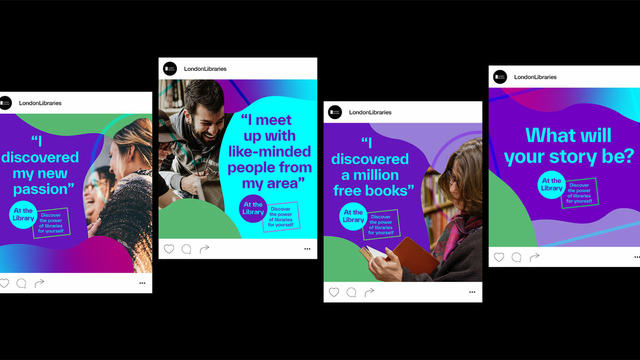
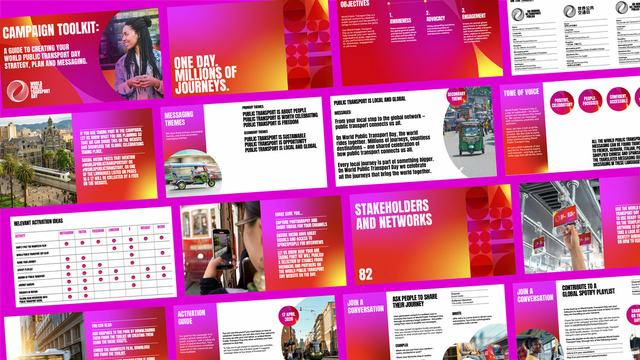
Across the design industry, toolkits are quickly becoming a preferred delivery method for brand and campaign materials. Here at Creative Concern we’ve seen this trend grow over the last couple of years, with many of our clients now asking for their final project deliverables as toolkits.
But what exactly is a toolkit? How are they different from more ‘traditional’ design deliverables? And why, when done right, can they be beneficial for both clients and agencies alike?
What is a toolkit?
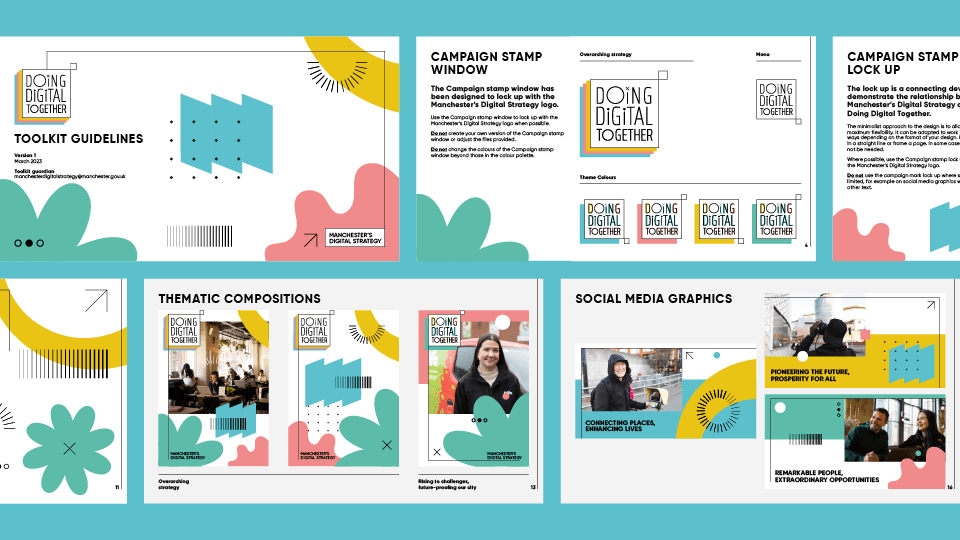
In a nutshell, a toolkit is a collection of adaptable resources, such as templates and other visual assets, that have been specifically designed to make it easier for client teams to quickly update and deploy their campaign or brand materials.
They require limited design knowledge to use and streamline the asset creation process client side, by removing many of the pain points that are often experienced by none designers when using a traditional asset bank – like ensuring you’re sticking to accessibility standards, using the correct logo placement or just finding exactly what you need in an unwieldy set PDF of brand guidelines.
Creative opportunities
Toolkits enable us to deliver our work in much more dynamic and robust ways than ever before.
Rather than providing clients with huge sets of ‘fixed’ assets, a toolkit gives them the ability to update certain parts of their materials themselves throughout the life of a brand or campaign. We like to think of this as a continuation of our collaboration. It allows for enough flexibility to meet their ongoing comms needs and also helps us to guarantee that the work we’ve lovingly crafted remains consistent, long after it’s been handed over.
This works incredibly well for both large scale roll-outs across multiple touch points but also for small or niche use cases, like when a team needs to regularly update specific pieces of content.
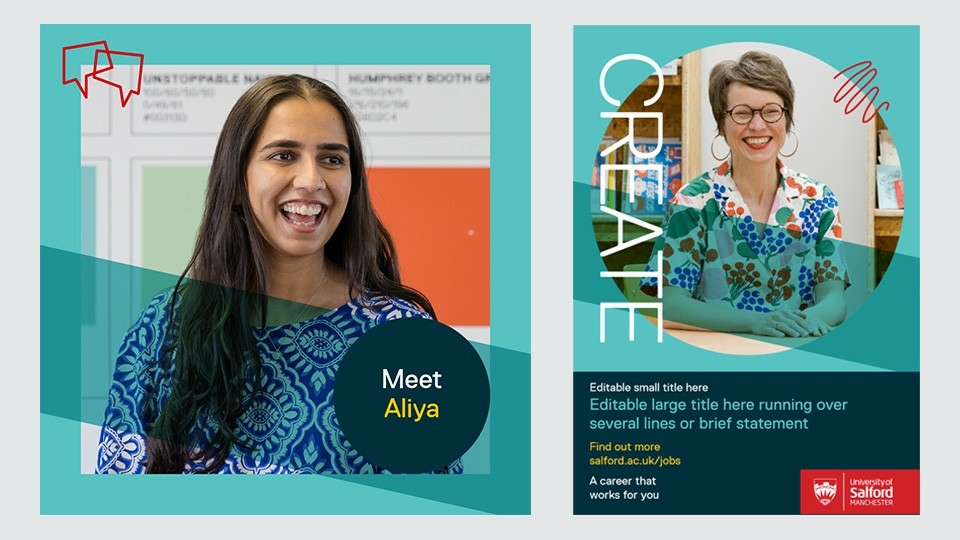
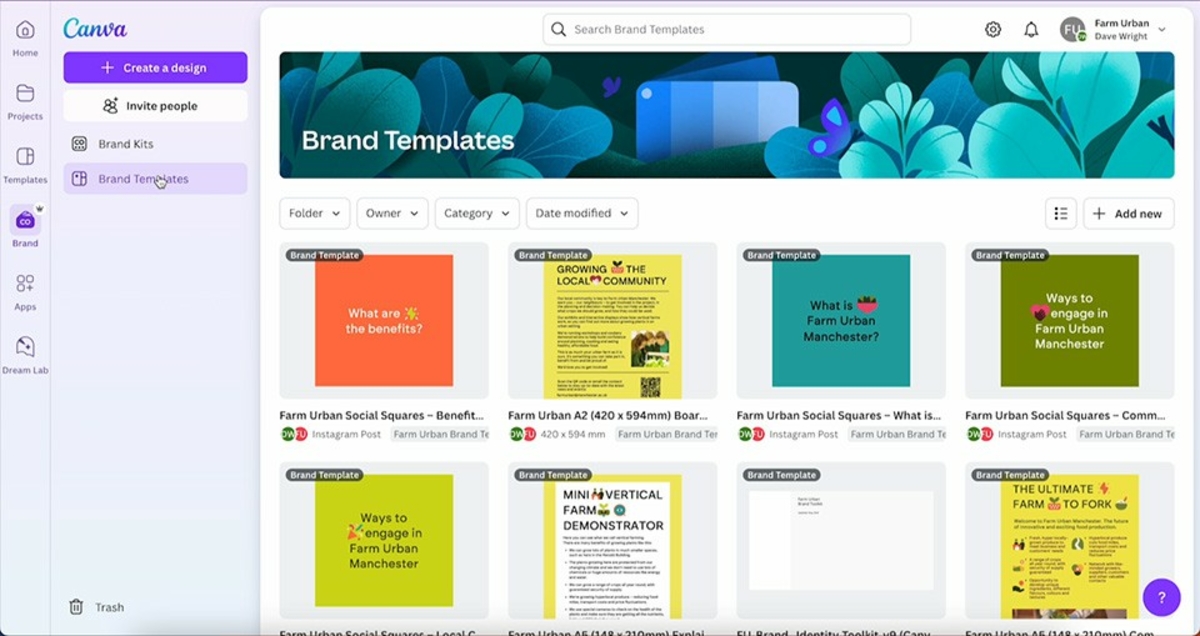
The majority of our toolkits are created using widely available commercial software, such as Canva, Microsoft Office or Adobe Creative Suite. We typically choose the software based on what the toolkit needs to output – is it just static images or will there be motion, etc. But sometimes this decision is determined by what a client team is authorised to use in-house. In this scenario we would go through any restrictions that come with that piece of software, ensuring that everyone is on the same page and that expectations are set early on.
For more complex projects that require interactivity or generative elements, we would need to build our own custom design tools from the ground up. Creating tools from scratch allows for a greater level of control and customisation but they often take longer for us to produce. Once built these can either be hosted off or online depending upon your team’s access requirements.
Once we’ve created a toolkit, it’s not a case of ‘hand it over and leave you to it’. To help our clients get the most out of their toolkits we offer a range of training support, such as video walkthroughs, virtual training sessions and more.
Toolkit curious?
Hopefully this whistle stop tour has got you thinking, and maybe the next time you’re commissioning a design project you’ll consider the benefits of it being delivered as a toolkit?
Or maybe you’re currently slogging your way through a massive set of assets and confusing brand guidelines and would really like a more streamlined way to get your comms out of the door?
If you’re interested in what a toolkit can do for you, get in touch with the team.